



Get paid from Deel,
straight into Endl
Withdraw your Deel earnings into Endl. Open a local receiving account, add it to Deel as a bank-transfer withdrawal method, and your payouts land in your Endl balance, ready to hold, convert, or send.


Amount received
+$4,280.00
Money in. The moment it lands.
Your client pays you on Deel the way they always have. The withdrawal hits your Endl balance in seconds, with no new flow to learn.
One flow.
Three simple steps.
We're talking seconds, not days.
Typical time for funds to land after a Deel withdrawal. Endl settles on stablecoin rails, the others wait on bank clearing.
Get your receiving account details
Find the local account you want to be paid into and pull up the bank details Deel will ask for.
Match the currency you're paid in
Set up a receiving account in the same currency as your Deel contract, for example a USD account for a USD contract. If the currencies don't match, Deel may convert your balance and charge a conversion fee.
Open Endl and click Deposit to get your account details
Log in to Endl. From your dashboard, find the currency account you want to receive into and click the Deposit button to get the bank details you'll need to enter in Deel.
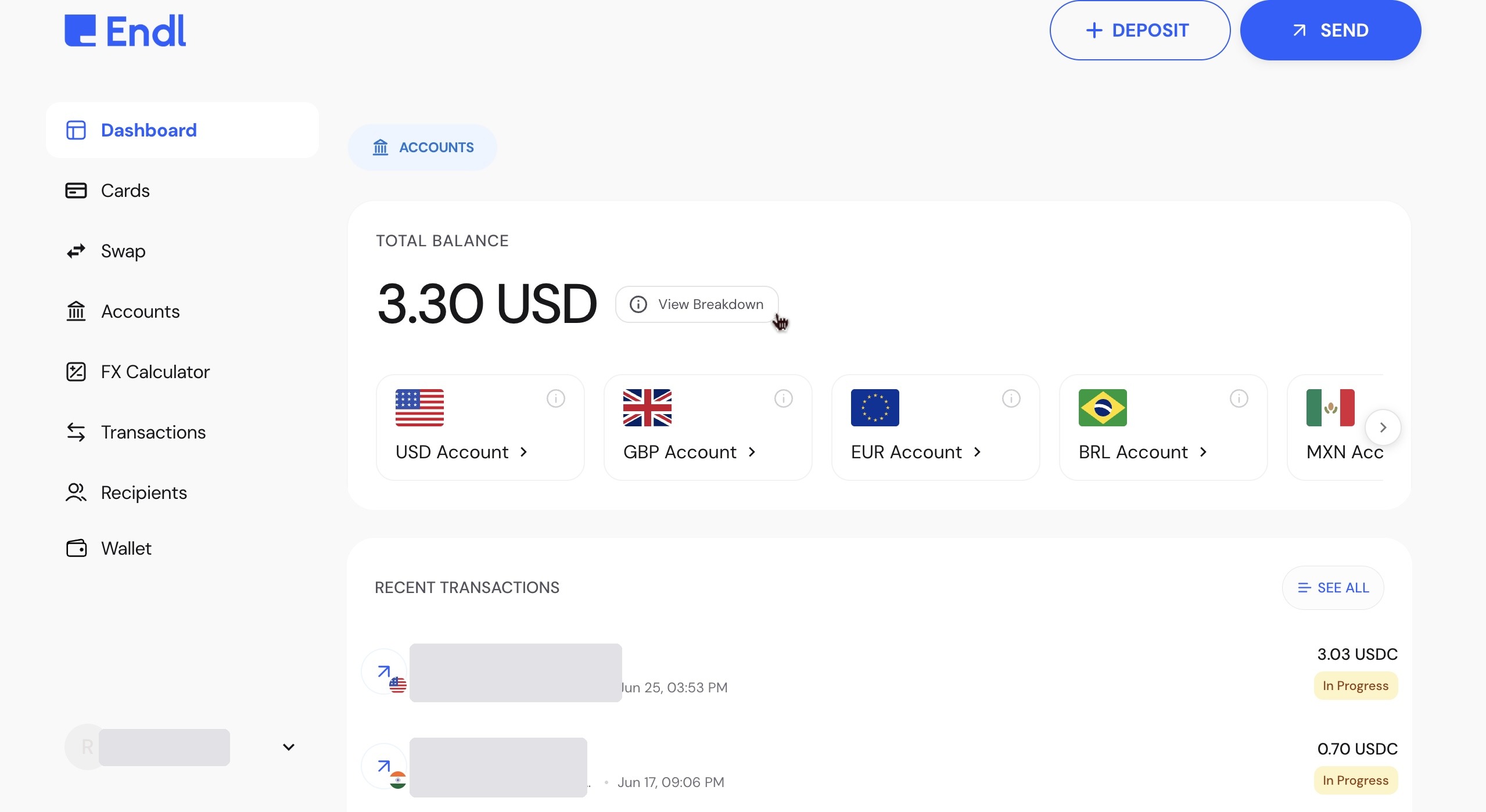
Open the deposit details
Choose Bank Transfer as the payment type, and select the account you're receiving into. Endl prepares the full set of transfer details.
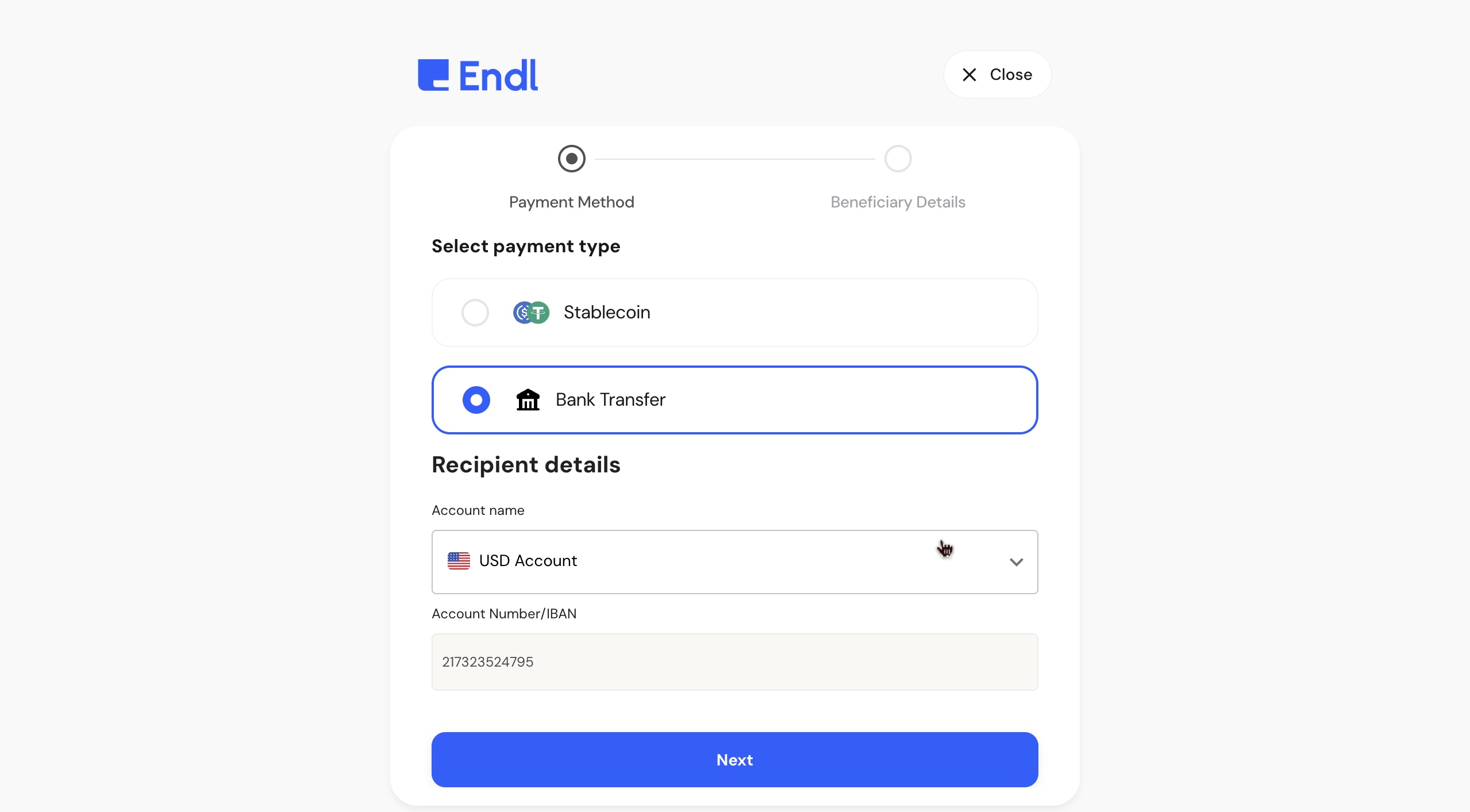
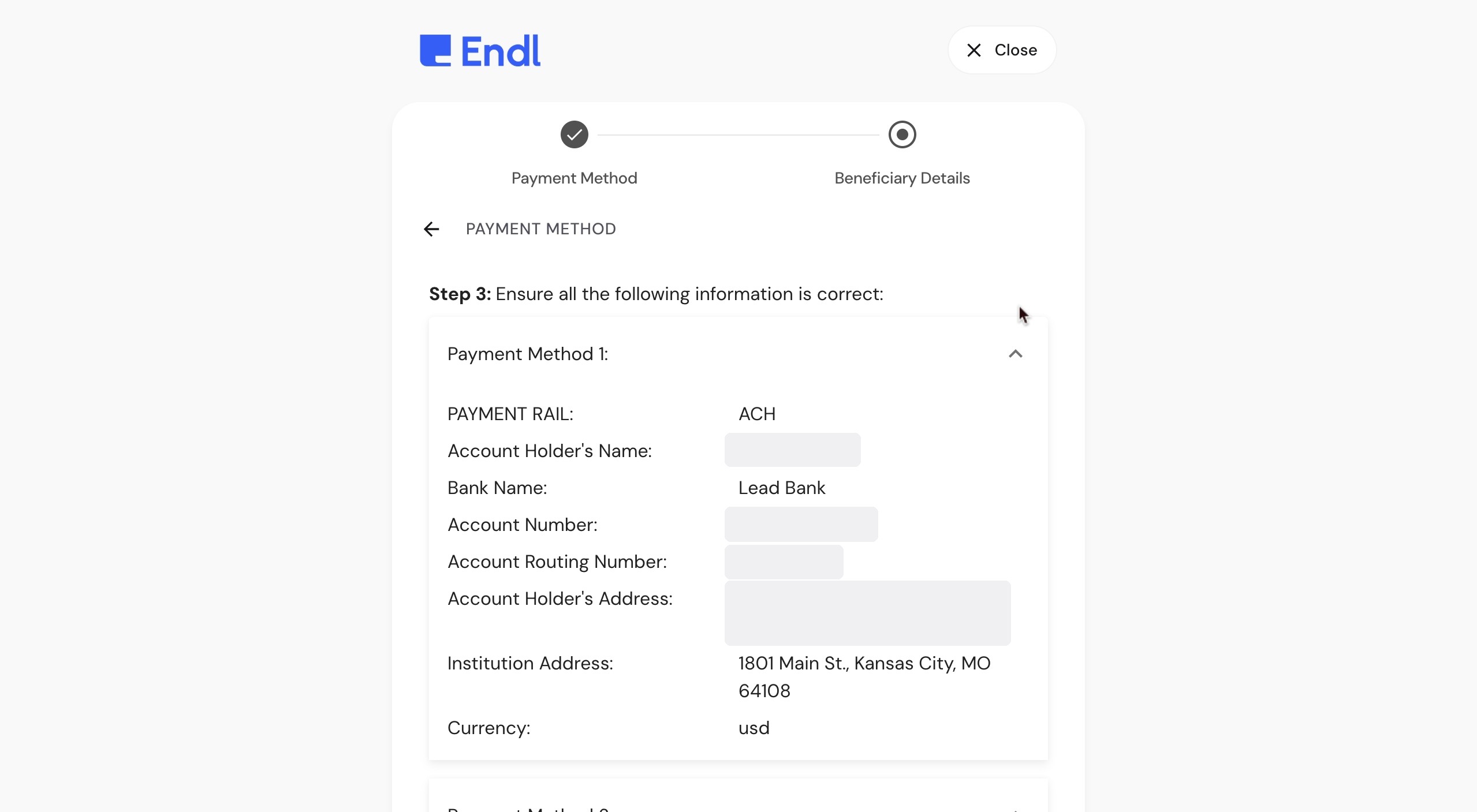
Copy your full bank-transfer details
The confirmation step lists everything Deel asks for: payment rail, account holder's name, bank name, account number, routing number, holder and institution address, and currency. Keep this open, you'll paste these into Deel next.
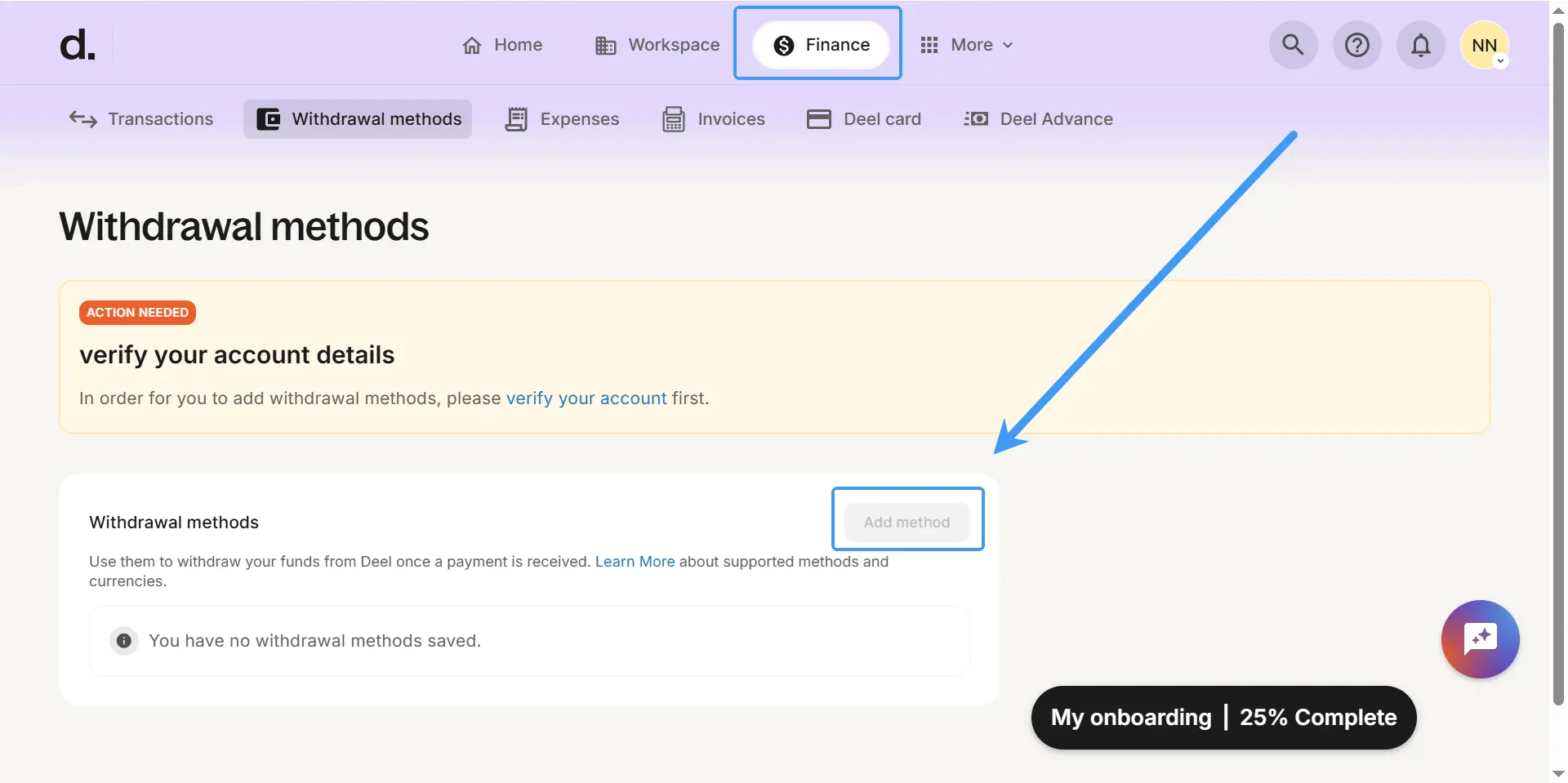
Add Endl as a withdrawal method
Register your Endl details in Deel once, then withdraw to them any time.
Add a withdrawal method in Deel
In Deel, go to Finance → Withdrawal methods → Add method. If Deel asks you to verify your account first, complete that, then return. Choose Bank transfer and enter the Endl details you copied.
Set Endl as your preferred method and withdraw
Your Endl account now appears under Saved withdrawal methods. Set it as preferred to make future payouts automatic. Click Withdraw, enter the amount, and your Deel earnings land in Endl, usually within seconds.
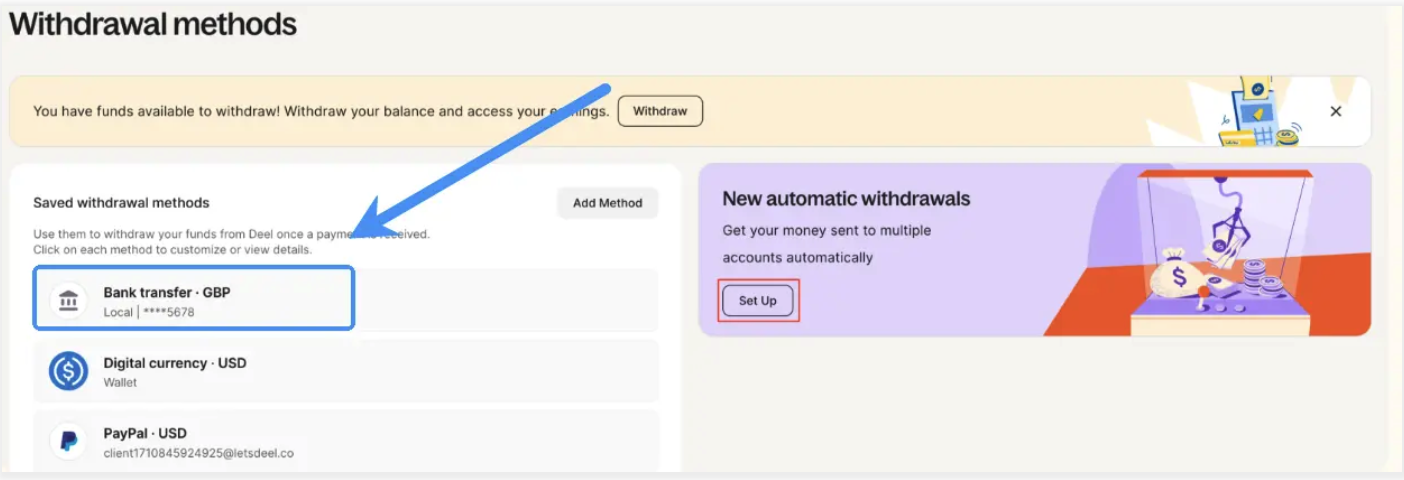
You're set up.
Every Deel withdrawal now lands in your Endl balance as dollars, ready to hold, convert at the live FX rate, or send on.
That is the last time withdrawals cost you a guess.
New to Endl? Get paid from Deel in minutes.
Open an Endl account, then follow the two parts above and your Deel payouts land in your balance in seconds.